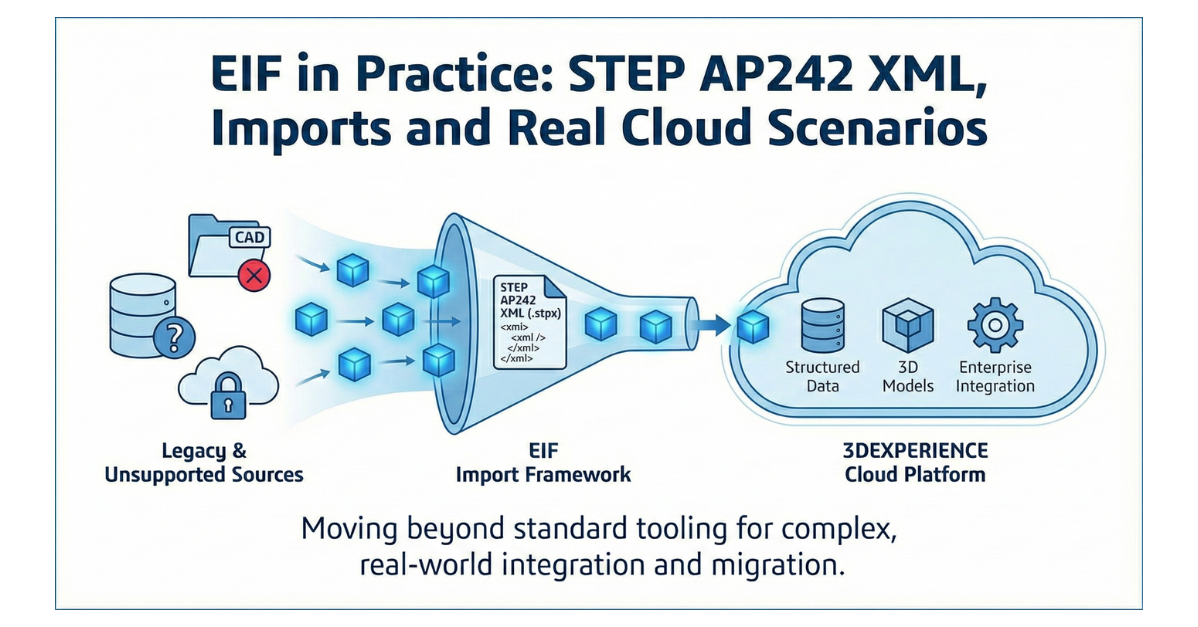
Most teams that have spent time around Enterprise Integration Framework (EIF) are familiar with one side of the story: export and/or integration to enterprise systems like ERP or MES.
Exports and integrations are very important, but they are usually the easier part. There is another side to coin, which is importing data into 3DEXPERIENCE when you have real-world constraints:
- The source system is not fully supported by standard migration tools
- The CAD type is not yet supported in a given migration path
- You need to integrate enterprise systems and create or update structures programmatically
- You are operating in a cloud environment where the tooling model is different than on-prem
During Dassault’s recent migration and openness training, we spent significant hands-on time with EIF. The most valuable piece for me, considering that we already actively use EIF, was a deeper walkthrough of how STEP AP242 XML (STPX) fits into import workflows and why understanding it matters when you go beyond standard tooling.
This post is a technical, implementation-oriented view of what’s worth knowing.
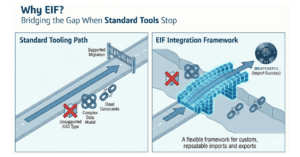
EIF: Why It Becomes The Option When Standard Tools Stop
Dassault’s standard tools (EDAT for on-premise; Transition Assistant for on-cloud; 3D XML paths in the right scenarios) cover many migrations, but not all. In practice, EIF becomes the right answer when:
- You have a cloud-first program and need a consistent integration approach
- You need to bring in data from systems that do not have a “supported migration tool”
- You need to address scenarios where supported tooling does not cover your CAD type or data model shape
- You need repeatable import logic for incremental data movement, not just one-time migration
EIF is not just a migration mechanism. It’s also an integration framework. That distinction matters because a lot of programs look like “migration” on paper but behave like “ongoing integration” in execution.
STEPX (STPX): A Standard Format With Real Implications For Imports
A key focus of the hands-on work was STEP AP242 XML, commonly referenced as STEPX with file extension .stpx.
If you’ve worked with EDAT’s XPDM XML or 3DXML, you’ve already seen XML-based data representations in the Dassault ecosystem. STEPX is different for one major reason:
It is not a Dassault-specific format. It is an industry standard.
That standardization can be an advantage when data needs to move between systems that already support STEP-based representations. It also comes with a tradeoff: STEPX is powerful and flexible, but the schema is more complex than most “platform-native” migration formats.
In training, we worked through the underlying schema concepts and then connected them back to how Dassault leverages STEPX within EIF import processes.
This is where the value is: if you are building imports, you need to understand the structure you’re generating or transforming. Otherwise you end up debugging through trial and error.
What Changes When You Focus On Imports Instead Of Exports
Exports are typically about extraction and reporting. With exports, normally the import of the extracted data into an external system is not part of the 3DEXPERIENCE effort. Imports require decisions that affect downstream behavior in 3DEXPERIENCE:
- How objects will be created and related
- How metadata maps to the target data model
- How revisions, maturity states and ownership are handled
- How CAD and product structure align (or don’t)
- How you handle incremental updates without duplicating or corrupting data
Those decisions are exactly where projects slow down, and exactly why import-oriented training is valuable even for experienced teams.
A practical takeaway from the training: if you expect “standard tooling” to cover every import scenario in cloud programs, you will eventually run into a case where it does not. When that happens, STEPX knowledge and EIF import capability are the difference between “we’re blocked” and “we have a path.”
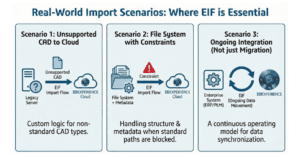
Where This Matters Most: A Few Real Scenarios
Here are scenarios where this import focus tends to show up in real programs:
Scenario 1: Unsupported CAD in a legacy system moving to cloud
The current 3DX XTA tool supports SmartTeam data migration for CATIA and AutoCad but if your SmartTeam environment includes other CAD data that is not supported, you may need custom migration logic. EIF import flows can become the route, with STEPX used as the structured payload to load CAD data that isn’t supported out of the box.
Scenario 2: File system to cloud, with constraints
File-based migrations are rarely just “load files.” The structure, metadata and relationships matter. If your path is not fully supported by the current release’s standard tooling, EIF may be required.
Scenario 3: Integration that looks like migration
Many companies start with a “migration” goal but end up needing ongoing data movement across enterprise systems, suppliers, or multiple 3DEXPERIENCE environments. That is not a one-time event. It is an operating model.
Practical Guidance: How to Approach EIF Import Work Without Creating Risk
If you’re considering EIF imports, the best way to reduce risk is to treat it like engineering:
- Start with a narrow, testable scope (a representative subset, not the full dataset)
- Define mapping rules explicitly (don’t “figure it out in code”)
- Validate object behavior (relationships, revisions, maturity states, access controls)
- Test incrementally (repeatable runs, consistent outputs, measurable performance)
- Plan for governance (who owns mappings, who approves changes, who monitors outcomes)
This is not about making it complicated. It’s about keeping it controlled.
Closing: Continuing Education is Key for Execution Quality
Training like this is valuable because it forces you into the details you only hit when you’re doing real work, especially on the import side. It also reinforces that “supported tooling” is not a strategy by itself. The strategy is how you plan around constraints, validate early and execute with discipline.
If your program involves cloud migration, complex imports, or integration scenarios where standard tools do not fully apply, xLM can help you define the right path and implement it safely.
Need an import or migration plan that fits your source systems and cloud goals? Get in touch with our team today.
Join xLM Solutions at 3DEXPERIENCE World 2026, taking place February 1–4, 2026, in Houston, Texas. We are presenting a masterclass on “3DEXPERIENCE Enterprise Integration Framework (EIF): Integrating to Enterprise Systems,” and welcome the opportunity to connect while we’re in town. Get the details and register to join us.
